
Can a 15 Inch Laptop Fit in a Backpack? Full Guide

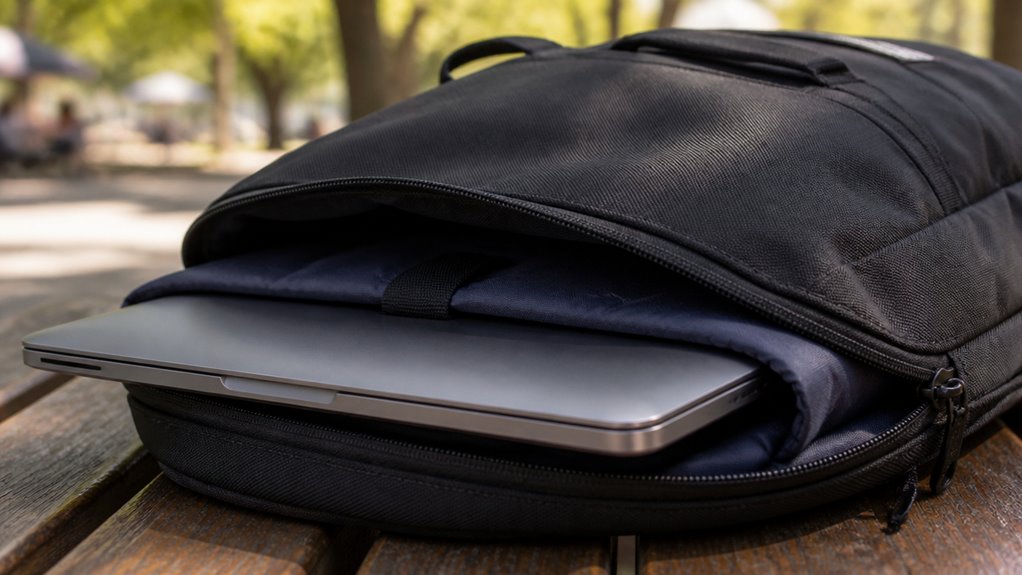
You can fit a 15-inch laptop in many backpacks, but screen size labels alone don’t guarantee fit.
You need to measure your laptop’s actual width, height, and thickness, then compare these to the backpack’s internal sleeve dimensions.
Thickness and padding also affect usable space and zipper durability, so allow 1–3 cm clearance for a secure, comfortable fit.
Choosing backpacks with proper sleeve size prevents strain and protects your laptop.
Keep exploring to understand what to check for the best fit and protection.
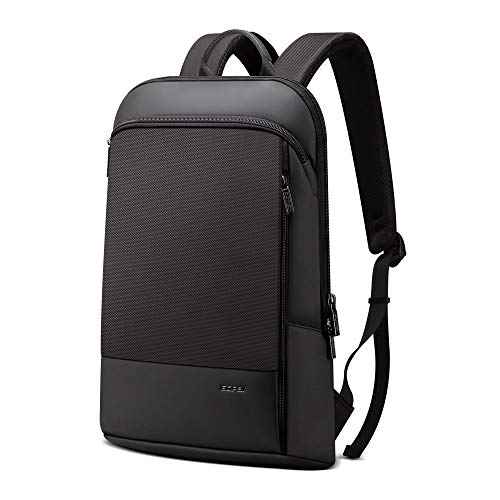
- LAPTOP CASE – Double side soft flannel compartment protects up to a 15 inch laptop(no suit for…
- INVISIBLE ANTI THEFT DESIGN – Unique concealed double zipper design increases the security of your…
- PORTABILITY – The back sleeve design allows the backpack to slide over the luggage handle for easy…
Key Takeaways
- A “15-inch” laptop label refers to screen diagonal, so check actual body dimensions for proper backpack fit.
- Backpacks labeled for 15-inch laptops typically fit devices around 36 x 25 cm body size with some padding clearance.
- Measure your laptop’s width, height, and thickness, then compare with the backpack’s internal sleeve dimensions for accurate fit.
- Allow 1–3 cm extra space in each dimension inside the sleeve to ensure comfort, protection, and ease of inserting the laptop.
- Excess thickness can cause zipper strain or failure; ensure the backpack’s compartment accommodates your laptop’s thickness safely.
Why Your Laptop’s Size Really Matters for Backpack Fit?
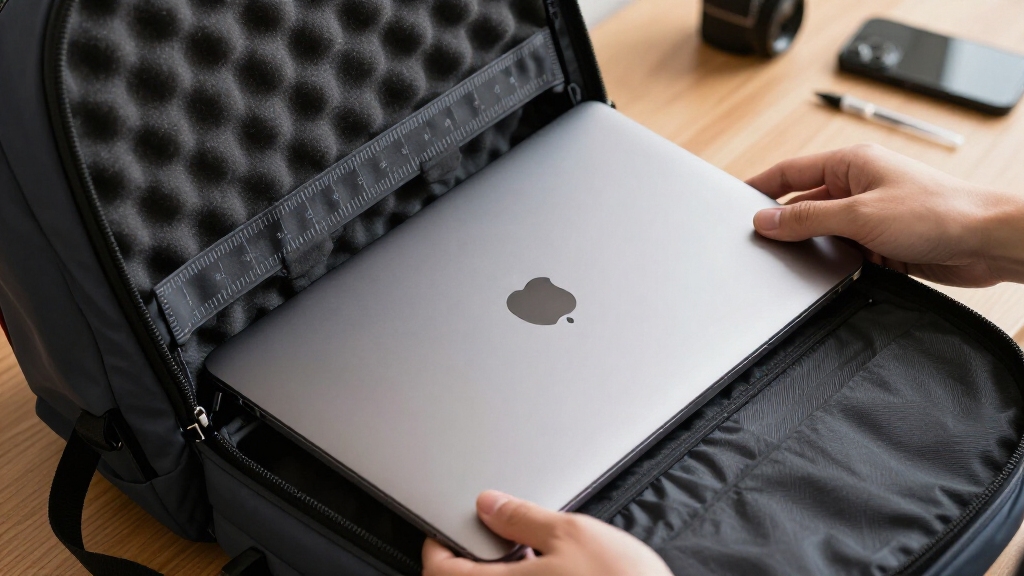
When you’re choosing a backpack for your 15-inch laptop, you can’t just rely on the screen size label alone. You need to look closely at your laptop’s actual dimensions.
Choosing a backpack for your 15-inch laptop means checking its real dimensions, not just screen size.
A 15-inch laptop’s size is typically given by screen diagonal, but the device’s body width, height, and thickness vary by model. Many 15-inch laptops measure around 36 x 25 x 2 cm, but some can be thicker or wider.
Backpack fit depends on the internal laptop compartment’s dimensions, which must accommodate the laptop’s full size plus padding. Backpacks labeled for 15-inch laptops often have sleeves slightly larger than the average laptop body, yet this isn’t guaranteed.
Checking your laptop’s exact measurements against the sleeve’s internal dimensions guarantees a proper, strain-free fit. It’s important to consider the standard backpack sizes and volume classifications to ensure your laptop fits comfortably alongside other gear.
Why Thickness Matters for 15-Inch Laptop Fit?
When it comes to fitting your 15-inch laptop in a backpack, thickness is a big deal! You really need to think about how thick your laptop is because it impacts the clearance of the backpack sleeve. If your laptop is on the thicker side, it can put a strain on the zipper and even wear down the padding more quickly. Many backpacks feature a dedicated padded compartment designed specifically to protect laptops while accommodating their thickness.
Thickness Affects Sleeve Clearance
Thickness frequently plays a crucial role in determining whether a 15-inch laptop will fit comfortably inside a backpack sleeve.
While width and height are important, the laptop’s thickness directly impacts the sleeve’s depth clearance.
Many backpacks designed for 15-inch laptops offer sleeves with limited depth, typically sized to accommodate slimmer models around 1.5 to 2 cm thick.
If your laptop exceeds this thickness, even by a small margin, it may feel snug or won’t close properly.
This can risk damage to zippers and padding.
You should measure your laptop’s thickness precisely and compare it to the backpack’s internal sleeve depth, accounting for any padding that reduces usable space.
Allowing 1 to 3 centimeters of extra room guarantees a secure, comfortable fit without excessive pressure on the laptop or the sleeve.
Backpacks with padded laptop compartments and reinforced seams help protect thicker laptops from minor impacts while maintaining a comfortable fit.
Impact on Zipper Durability
Since a thicker 15-inch laptop puts more strain on a backpack’s zipper, ensuring proper fit is essential to maintain zipper durability over time.
When your laptop barely fits, the zipper experiences increased tension as you close the compartment. This constant pressure can cause zipper teeth to misalign or the slider to jam, reducing its lifespan.
Backpacks with tight sleeves force you to apply extra force, accelerating wear and tear. By choosing a backpack with sufficient internal clearance, accounting for your laptop’s thickness plus padding, you minimize strain on the zipper.
Proper fit not only protects the zipper but also preserves the backpack’s structural integrity. So, always compare your laptop’s depth with the sleeve’s dimensions to avoid stressing the zipper unnecessarily.
For the most accurate assessment, it is recommended to measure the backpack with the laptop fully packed to reflect real use conditions.
How Padding and Sleeve Design Affect Usable Space?
- LAPTOP CASE – Double side soft flannel compartment protects up to a 15 inch laptop(no suit for…
- INVISIBLE ANTI THEFT DESIGN – Unique concealed double zipper design increases the security of your…
- PORTABILITY – The back sleeve design allows the backpack to slide over the luggage handle for easy…
Although a backpack’s laptop sleeve may be labeled for 15-inch devices, the presence and amount of padding materially reduce the actual usable space inside the compartment.
When you’re evaluating a backpack, consider how thick or firm the padding is, as it can shrink the interior dimensions by several millimeters on each side.
Sleeve designs vary too; some have snug, form-fitting sleeves that tightly wrap the laptop, while others provide looser, more flexible pockets.
You’ll want to measure your laptop’s width, height, and thickness, then factor in the padding’s thickness to make certain of a proper fit.
Keep in mind that extra padding improves protection but may limit clearance, especially for thicker laptops.
Balancing sleeve design and padding is key to maximizing usable space without sacrificing safety.
The Tomtoc Travel Backpack’s dedicated 17-inch laptop sleeve features padded protection with a false bottom, enhancing safety while influencing usable space.
What ‘15-Inch Laptop’ Labels Actually Mean?
When you come across a backpack labeled for a 15-inch laptop, it’s good to know that it typically refers to the diagonal screen measurement rather than the actual size of the laptop itself. So, don’t be misled!
The fit really depends on the internal dimensions of the sleeve. You’ll want to make sure it can accommodate not just the screen size but also the laptop’s width, height, and thickness.
It’s all about finding that perfect match!
Understanding this difference is super helpful. It’ll guide you in choosing a backpack that fits your device snugly, ensuring you won’t have to worry about forcing it in or risking any damage. Happy backpack shopping!
Also, keep in mind that many top-rated bags include protective compartments designed specifically to safeguard your laptop during travel or daily use.
Screen Size Versus Body
You might assume that a “15-inch laptop” label directly reflects the device’s overall size, but it actually refers to the screen’s diagonal measurement rather than the laptop’s physical dimensions.
This distinction matters when checking if your laptop fits a backpack.
Keep in mind:
The actual body of a 15-inch laptop typically measures around 36 x 25 x 2 cm, which varies by model.
Backpacks labeled for 15-inch laptops usually have sleeves sized slightly larger than the laptop body, not just the screen.
Thickness, width, and height all influence fit, so relying on screen size alone can be misleading.
Understanding these differences helps you choose a backpack that accommodates your laptop’s real dimensions, ensuring proper fit and protection.
When selecting a bag, consider the padded sleeves tailored for device-specific protection to keep your laptop safe inside the backpack.
Sleeve Dimensions Explained
Understanding what a “15-inch laptop” label actually means can clear up common confusion when shopping for backpacks.
The label refers to the diagonal screen measurement, not the device’s full body size.
Typical 15-inch laptops measure about 36 x 25 x 2 cm (14 x 9.8 x 0.8 inches), but actual dimensions vary by model.
Backpacks marketed for 15-inch laptops usually feature sleeves slightly larger than the laptop body, aiming to accommodate width, height, and thickness plus some padding clearance.
To guarantee a good fit, you need to compare your laptop’s exact measurements against the internal sleeve dimensions, not just rely on the label.
It is important to include extra space for protective padding and any protruding parts, similar to how luggage measurements account for handles and wheels to ensure proper fit.
Labeling Versus Actual Fit
Although backpacks are often labeled as fitting “15-inch laptops,” this designation refers primarily to the screen diagonal rather than the device’s full external dimensions.
The actual fit depends on the laptop’s width, height, and thickness, which vary by model. When evaluating a backpack, keep these points in mind:
A typical 15-inch laptop body measures around 36 x 25 x 2 cm, so the sleeve should exceed these dimensions for a proper fit.
Backpacks marketed for “15-inch laptops” usually have sleeves slightly larger than the device but may not accommodate thicker or wider models.
Always check the internal compartment dimensions with added clearance (1-3 cm) instead of relying solely on the “15-inch” label.
Understanding these differences helps you avoid surprises and ensure your laptop fits comfortably.
For instance, a 20L backpack fits laptops up to 15” snugly, but the laptop compartment can reduce main storage noticeably, impacting overall usability and packing space, which is an important consideration when choosing a bag with laptop compatibility.
Measuring Your Laptop for Backpack Fit
Start by measuring your laptop’s width, height, and thickness while it’s closed to get accurate dimensions. Use a ruler or tape measure to capture these three key sizes, as fit depends on more than just screen size.
Record your measurements clearly for comparison with backpack specs.
| Dimension | Measurement (cm) | Measurement (inches) |
|---|---|---|
| Width | 36 | 14.2 |
| Height | 25 | 9.8 |
| Thickness | 2.5 | 1 |
Keep in mind that thickness varies by model and affects fit as much as width and height. Having precise numbers helps you find a backpack with a sleeve that offers at least 1-3 cm extra clearance in all dimensions.
This ensures your laptop fits securely without strain. Many backpacks, like the Day Owl, offer a padded laptop compartment designed to fit devices up to 16 inches, providing added protection and comfort.
What Internal Backpack Dimensions You Need for a 15-Inch Laptop?
How do you determine the right internal dimensions for a backpack to fit a 15-inch laptop? Start by measuring your laptop’s width, height, and thickness accurately.
Then, make certain the backpack’s laptop compartment offers enough space to accommodate these measurements comfortably. Typically, you want a compartment around 38 x 27 cm or larger to fit most 15-inch laptops.
Keep these key points in mind:
Allow 1 to 3 cm of extra room in width, height, and depth for padding and ease of insertion.
Verify the sleeve’s usable space since padding can reduce internal dimensions.
Confirm the compartment matches your laptop’s body size, not just the screen size label.
Doing this guarantees a secure fit without stressing the backpack or your laptop’s edges.
Backpack Ratings: 15-Inch vs 15.6-Inch Devices
When choosing a backpack labeled for 15-inch laptops, you need to understand that the difference between 15-inch and 15.6-inch ratings can affect fit more than you might expect.
A 15-inch rating typically targets laptops with screen diagonals around 15 inches and body dimensions near 36 x 25 cm.
Meanwhile, 15.6-inch backpacks accommodate slightly larger laptops, often with extra width or thickness.
While many 15-inch laptops fit in 15.6-inch compartments, the reverse isn’t always true.
You should check the backpack’s internal sleeve dimensions rather than rely solely on labels.
Padding and compartment shape influence usable space.
Always compare your laptop’s exact width, height, and thickness to the sleeve’s measurements to guarantee a secure, strain-free fit.
Signs Your 15-Inch Laptop Won’t Fit in a Backpack
Several clear signs indicate your 15-inch laptop won’t fit properly in a backpack, even if the bag claims to accommodate that size.
This often happens because laptop measurements are based on screen size, not the actual body dimensions, which vary by model.
If your laptop is thicker or wider than the backpack’s laptop compartment, it won’t fit comfortably.
Watch out for these signs:
The laptop sleeve feels too tight or requires force to close, risking damage to zippers or padding.
A tight laptop sleeve that’s hard to close can damage zippers or padding, compromising protection.
The backpack lacks a dedicated laptop compartment or the compartment dimensions are smaller than your laptop’s width, height, and thickness.
The laptop sticks out or shifts inside the sleeve, indicating insufficient clearance or padding.
Checking these signs early helps avoid fit issues and protects your device.
Packing Tips to Protect Your Laptop and Backpack
Although choosing a backpack with a properly sized laptop compartment is essential, packing your 15-inch laptop carefully can further prevent damage and extend both the device’s and bag’s lifespan.
Always place the laptop in its dedicated padded sleeve to cushion against impacts. Avoid cramming the laptop into a tight compartment; allow at least 1 to 3 cm of clearance around the device.
Use additional protective sleeves if your backpack’s padding is minimal. Distribute weight evenly by packing heavier items away from the laptop to reduce pressure and potential deformation.
Secure loose accessories separately to prevent scratches. Finally, close zippers gently to avoid straining seams or damaging the laptop corners.
These steps help maintain both your laptop’s integrity and backpack’s structural quality over time.
Frequently Asked Questions
What Materials Make Backpacks More Durable for Carrying Laptops?
You’ll find backpacks made from materials like ballistic nylon, Cordura, and polyester offer excellent durability for carrying laptops.
These fabrics resist abrasions and tears, protecting your device. Look for backpacks with reinforced stitching and water-resistant coatings to guard against spills and weather.
Padded compartments made from high-density foam also add shock absorption. Choosing these materials guarantees your laptop stays secure and your backpack lasts through daily wear and tear.
Are Backpacks With Wheels Better for Heavy 15-Inch Laptops?
If you haul a heavy 15-inch laptop daily, wheeled backpacks can ease strain by letting you roll instead of carry.
For example, a graphic designer lugging a 6-pound laptop plus accessories found wheels reduced shoulder pain during commutes.
Wheeled backpacks distribute weight more evenly and prevent back fatigue, especially over long distances.
However, they may be bulkier and less flexible in tight spaces, so consider where you’ll use it most.
How Do Weather-Resistant Backpacks Protect Laptops From Rain?
Weather-resistant backpacks protect your laptop from rain by using water-repellent fabrics and sealed seams to block moisture.
They often include waterproof zippers or covered zipper flaps to prevent water entry.
Some backpacks feature a rain cover for extra protection during heavy downpours.
Inside, padded compartments shield your laptop from dampness and impact.
These combined features guarantee your device stays dry and safe, even when you’re caught in wet weather.
Can Backpacks With Multiple Compartments Improve Laptop Organization?
Can you really keep your laptop gear and accessories neatly sorted?
Yes, backpacks with multiple compartments improve laptop organization by offering dedicated spaces for your laptop, charger, mouse, and documents.
This separation prevents clutter and protects your device from scratches.
You’ll find padded sleeves for laptops and smaller pockets for cables or phones.
They make accessing and securing your tech easier, especially when you’re on the move.
What Accessories Enhance Laptop Safety Inside a Backpack?
You can enhance laptop safety inside a backpack with padded sleeves or protective laptop cases to cushion against impacts.
Use corner protectors to guard vulnerable edges and a waterproof cover to shield from moisture.
Anti-shock foam inserts or removable compartments add extra padding.
Cable organizers prevent strain on ports, while securing straps keep your laptop stable.
These accessories reduce damage risks and improve overall protection during transport.
Protect Your Laptop With the Right Backpack Fit
Imagine trying to fit a 15-inch laptop into a backpack like a puzzle piece. You can’t just rely on the label. Thickness, padding, and actual measurements matter as much as the diagonal size.
Many backpacks rated for 15.6-inch laptops offer extra room. However, without checking internal dimensions, you risk a tight squeeze. Always measure your laptop and compare it to your backpack’s specs to guarantee a perfect, protective fit every time.
- LAPTOP CASE – Double side soft flannel compartment protects up to a 15 inch laptop(no suit for…
- INVISIBLE ANTI THEFT DESIGN – Unique concealed double zipper design increases the security of your…
- PORTABILITY – The back sleeve design allows the backpack to slide over the luggage handle for easy…
Last update on 2026-09-15 / Affiliate links / Images from Amazon Product Advertising API